AutoCAD में Dimension Problem कैसे Solve करें
AutoCAD Dimension Problem Fix Kaise Kare? Complete Guide for Site Engineers (2026)
Powered by CivMasterPro
AutoCAD में काम करते समय कई बार dimension गलत दिखने लगता है। उदाहरण के लिए drawing में actual length 15’-0” होती है लेकिन dimension 15’-1” या 15.0919 जैसा show करता है। यह problem generally wrong unit settings, incorrect scale factor, precision issue, या improper dimension style के कारण होती है।
अगर आप site engineer, civil engineer, draftsman, survey engineer, या AutoCAD learner हैं, तो यह practical guide आपके लिए काफी useful होगी। इस article में हम step-by-step समझेंगे कि AutoCAD dimension problem को permanently कैसे fix करें।
Common AutoCAD Dimension Problems
- Dimension exact value show नहीं करता
- Feet की जगह inches display होना
- Wrong scale factor के कारण extra value आना
- Dimension text size बहुत छोटा या बड़ा होना
- Architectural unit गलत show होना
- Drawing scale mismatch
Step 1: Check UNITS Command Properly

सबसे पहले UNITS command check करें क्योंकि गलत unit setting dimension issue का सबसे बड़ा कारण होता है।
Command: UNITS
- Length Type = Architectural (for feet-inch drawings)
- Precision = Required accuracy
- Insertion Scale properly set करें
अगर आपका drawing feet में है और unit mm या inches में set है, तो dimension गलत दिखाई देगा।
Step 2: Fix DIMSTYLE Settings
Dimension issue solve करने के लिए DIMSTYLE सही configure होना बहुत जरूरी है।
Command: DIMSTYLE → Modify
- Units Tab open करें
- Unit Format = Architectural रखें
- Precision as per project requirement set करें
- Scale factor verify करें
कई बार copied drawings में dimension style corrupt हो जाता है जिससे wrong dimension values show होने लगती हैं।
Step 3: Correct Scale Factor

Scale factor गलत होने पर dimension actual length से अलग दिखाई देता है।
| Drawing Unit | Recommended Scale Factor |
|---|---|
| Feet Drawing | 1 |
| Inches Drawing | 12 |
| Millimeter Drawing | Depends on project scale |
अगर drawing inches में बनी है लेकिन dimension feet में चाहिए, तो proper conversion factor use करना जरूरी है।
Step 4: Fix Exact Length Using LENGTHEN or SCALE
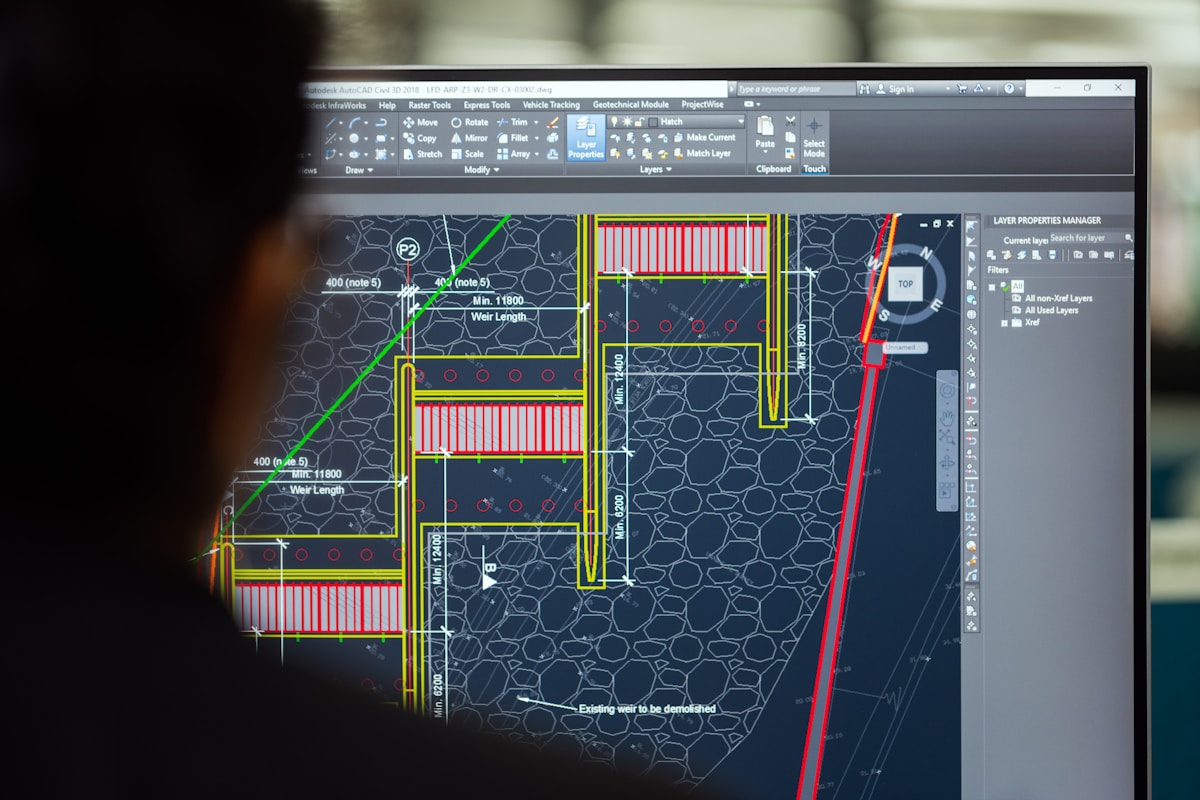
कई बार line actual length से थोड़ी अलग बन जाती है, इसलिए dimension odd values show करता है।
Useful Commands:
- LENGTHEN
- SCALE
- ALIGN
- STRETCH
Example: अगर dimension 15’-0” की जगह 15.0919 show कर रहा है, तो line exact length में नहीं बनी है। LENGTHEN command से उसे exact value तक adjust करें।
Important Pro Tips for Site Engineers
- Always start drawing with proper template
- Never mix mm, feet, and inches in same drawing
- Check drawing scale before plotting
- Use standard dimension style for all project drawings
- Avoid copying dimension styles from unknown files
- Keep annotation scale consistent
Common Mistakes That Cause Dimension Errors
- Wrong unit conversion
- Imported CAD file scale mismatch
- Using non-standard templates
- Dimension style override
- Incorrect plotting scale
- Improper precision setting
Best Practice for Highway & Site Engineers
Highway projects, structure drawings, culvert drawings, and layout plans में dimension accuracy बहुत important होती है। Small dimension mistakes field execution में major issue create कर सकती हैं।
इसलिए हमेशा:
- Drawing issue करने से पहले dimensions verify करें
- Site coordinates and drawing units match करें
- BOQ dimensions cross-check करें
- Plot preview जरूर देखें
Related AutoCAD Guides
👉 AutoCAD Scale Step-by-Step Guide
👉 AutoCAD Distance Measurement Guide
👉 AutoCAD Tips for Site Engineers
Conclusion
AutoCAD dimension problems mostly incorrect unit settings, scale factor mistakes, या dimension style errors के कारण होते हैं। अगर आप UNITS, DIMSTYLE, और drawing scale properly configure करते हैं, तो dimension issues आसानी से solve हो जाते हैं।
Professional site engineers और CAD operators को हमेशा drawing issue करने से पहले dimensions cross-check करना चाहिए ताकि site execution में कोई error न हो।
FAQs – AutoCAD Dimension Fix
Why is AutoCAD showing wrong dimensions?
Wrong units, incorrect scale factor, or improper DIMSTYLE settings usually cause this problem.
How do I fix dimension scale in AutoCAD?
Use DIMSTYLE command and verify the scale factor according to your drawing units.
Which unit is best for civil engineering drawings?
Most civil engineering projects use millimeters or feet depending on project standards.
What command is used to fix exact line length?
You can use LENGTHEN or SCALE command to correct exact dimensions.
🚀 Learn Practical Civil Engineering
For more practical guides on Highway Engineering, QA/QC, AutoCAD, BOQ Billing, Quantity Estimation, and Site Execution visit:


Comments
Post a Comment
Please share your practical site experience, questions, or technical doubts related to civil engineering, highway construction, AutoCAD, QA/QC, BOQ billing, or MoRTH standards. Spam or promotional links will be removed.